
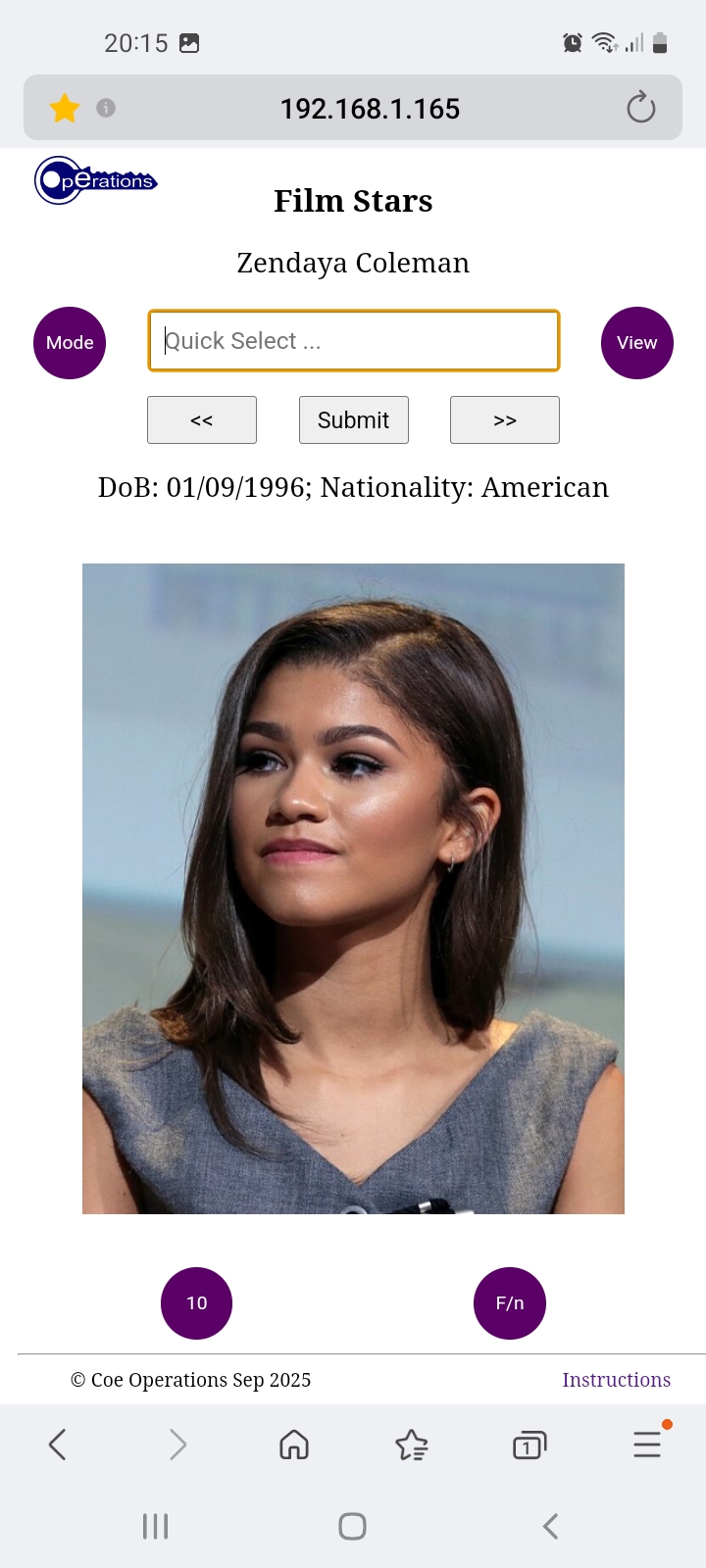
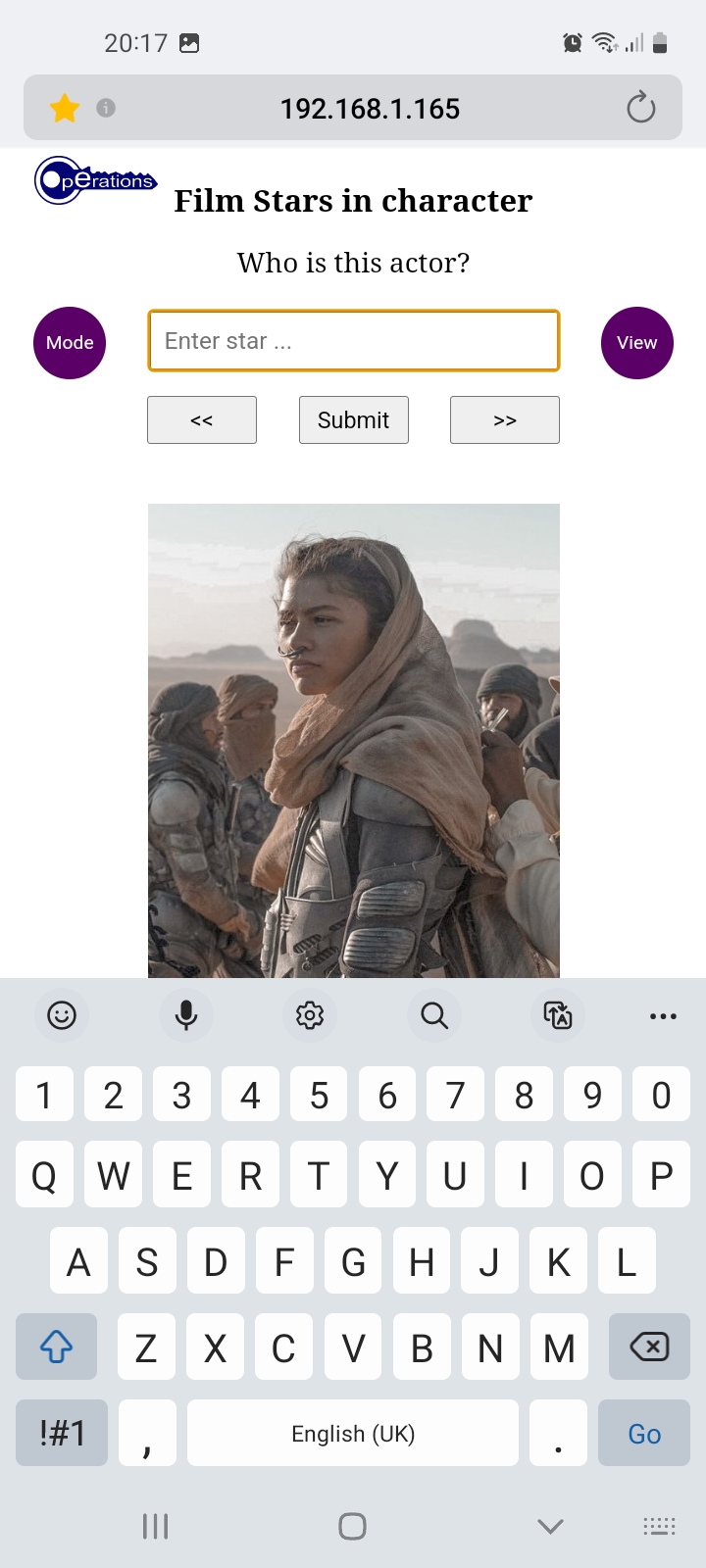
Coe Operations Film Stars is an app on film stars where you can learn about and be tested on your ability to identify them. There are links from their pictures to their corresponding Wikipedia bio page and to their filmography from in character shots. They may not be their most acclaimed or famous roles but have predominately been chosen from films suitable for a younger audience.
Click the icon above to play in your web browser.


There are two views, photographs of film stars as themselves or screenshots from one of their film roles. As nearly all photographs of them are copyrighted they have been cropped and resized from those available at Wikimedia Commons. The year of photographs along with accreditation is shown with in character shots being attributed to film rights holders, some of which are in dispute. They are used in what I consider fair use, i.e. for no financial gain without seeking copyright holder's permission. They can, if necessary, be taken down should they be deemed copyright infringement.
Tap or click the button to switch views.


There are two modes, Display Mode that shows film stars as themselves or in one of their film roles and Test Mode to see how well you can identify them. Display Mode comprises hyperlinks from film star pictures to their respective Wikipedia bio page and from their film role to their filmography, which can sometimes be difficult to find when browsing on a phone.
Display Mode has a Play button to move on every five seconds, so mobile screens stay on in some browsers because of its slideshow characteristics. Do not leave your device unattended as it could drain the battery. You will be asked however whether you are still watching after 10 minutes of inactivity.
You can type single characters with Quick Select to jump to stars beginning with that letter or to the next available option, rolling over to the first if there are none. You may use the Option List if you prefer to go straight to your chosen star. Backward and forward buttons are also provided for navigation; the Left and Right Arrow keys can be used instead when viewing on a computer.
Adjacent images are preloaded while pictures are displayed to make viewing as seamless as possible.


There are two test options, either 10 or All randomly selected stars for you to identify. Correct solutions are shown after three wrong answers and shall be asked again. You may skip or go back to earlier questions as you please, but it does reset the question's wrong answer counter before the correct one is shown.


The other button is not a test option but used for switching name order. The default is the usual forename-surname order but surname-forename can be chosen if you prefer. Options are likely to filter more quickly with the latter when more movie stars have been added.
Switching changes the order in Display Modes too to maintain Quick Selection. If permitted, your preference is saved in your browser's local storage.
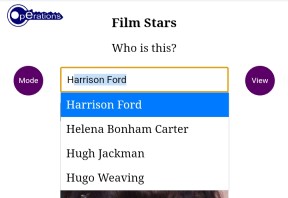
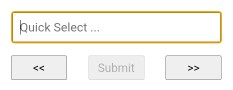
Typing is the preferred input method. Options beginning with entered text are filtered and autocompleted as you type, as shown above and in the following image. Since options are limited to those in the list, you are audibly warned when none exist, most likely the result a typing error, and the offending character is removed. Just accept the free hit if it wasn't a typo.
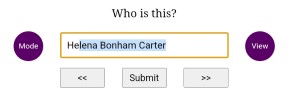
Press Enter/Go or the central Submit button once filtered to the first or last remaining option, as shown above, to submit that as your answer. No further typing is necessary. Use the Backspace key as usual to correct mistakes.
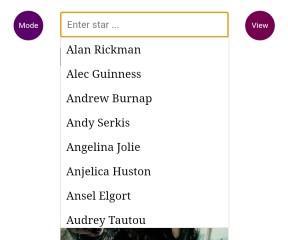
Selection can also be made by directly interacting with the Option List itself. Tap or click the input field at any time to show or hide it. Nothing is displayed where no options match the text in the input field, whereas all options are available when there is none.
The list can be swiped as usual on touch screens or scrolled with the mouse wheel on computers. Items are selected by tapping or clicking them. Press the Submit button or the Enter/Go key to submit your answer. Of course you may use a combination of typing and the Option List.
The Down Arrow key can also be used on computers to activate the option list if hidden. Use the Up and Down keys to scroll and dynamically make selections, then press Enter when ready. This can also be done in Quick Select mode.
Gathering material for a Film Stars app began in early September 2025 as a surprise for my granddaughter's thirteenth birthday. Not exactly educational in the academic sense of the word, it is attuned to her interests. She is an attendee of the Pauline Quirke Academy of Performing Arts and something of an aficionado when it comes to films.
Bug fixes or additions in the latest release.
25/03/2026
Updated: New layout for computer screens in landscape view.
Updated: Buttons with images rather than text.
Updated: Improved reliability of audible feedback.
18/02/2026
Fixed: Issues with input, especially after backspacing.
13/02/2026
Updated: Progress bar and timer reset when following links in Rolling Display Mode.
Fixed: Input re-enabled when changing mode when showing correct answer.
08/02/2026
Updated: Resized buttons to accommodate translated text.
05/02/2026
Added: ID or index field to Option List items.
Updated: Fixed and Rolling Display Modes combined into one since introduction of
the Play/Pause button.
11/01/2026
Fixed: Option list resized for small screens.
07/01/2026
Added: User preferences to web browser if permitted (Name order & launch in
Display/Test Mode).
29/12/2025
Added: Pause/Restart button in Rolling Display Mode (switches mode without reset).
26/12/2025
Fixed: Resizing issue when using keyboard on iPhones.
You are free to use and distribute this software or web package provided it is accredited and supplied in its entirety with no alteration and that no fee is charged. All source code remains the property of Coe Operations.
© Coe Operations Sep 2025